Competitor Price Monitoring: See Where Your Prices Stand, Hour by Hour
Track competitor prices every hour and ask MarqVision's Brand Intelligence Agent how they compare with yours, on Coupang, Amazon and more.
 Ryan KimPrincipal Product Marketing Manager3 min read
On this page5
A price only means something next to a competitor’s. With MarqVision’s Price Monitoring, you already see your own prices on marketplaces like Coupang, Naver SmartStore and Amazon. For many teams, competitor prices live somewhere else: a morning round of site checks, an Excel file, or a separate pricing vendor.
And competitor prices move on their own schedule. A coupon can go live at night and be gone by morning, before anyone opens the file.
Today, we’re introducing Competitor Price Monitoring in the Brand Intelligence Agent: hourly tracking of competitor prices, side by side with your own, so your team can make pricing decisions with the full picture.
See where your price stands against each competitor
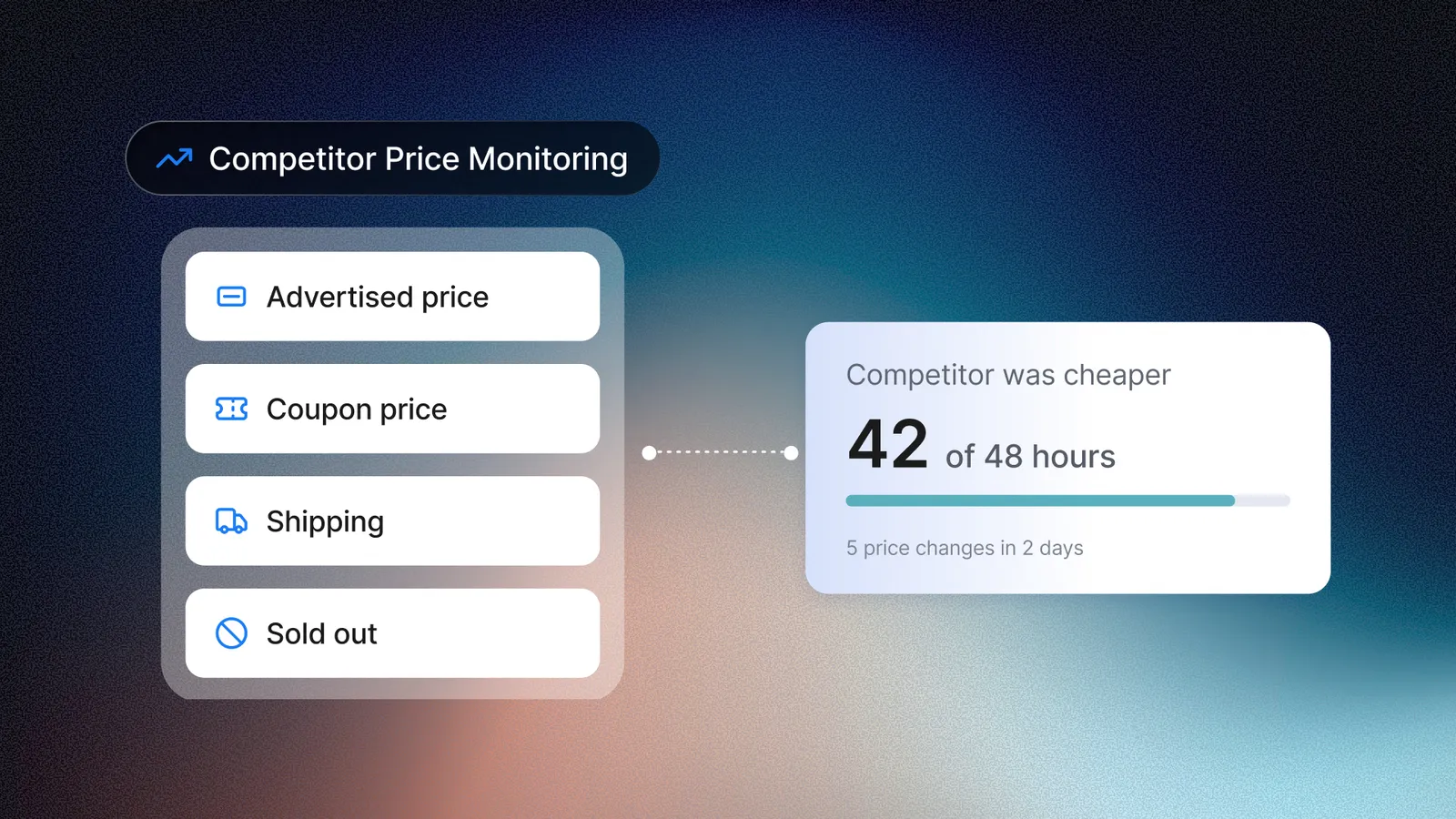
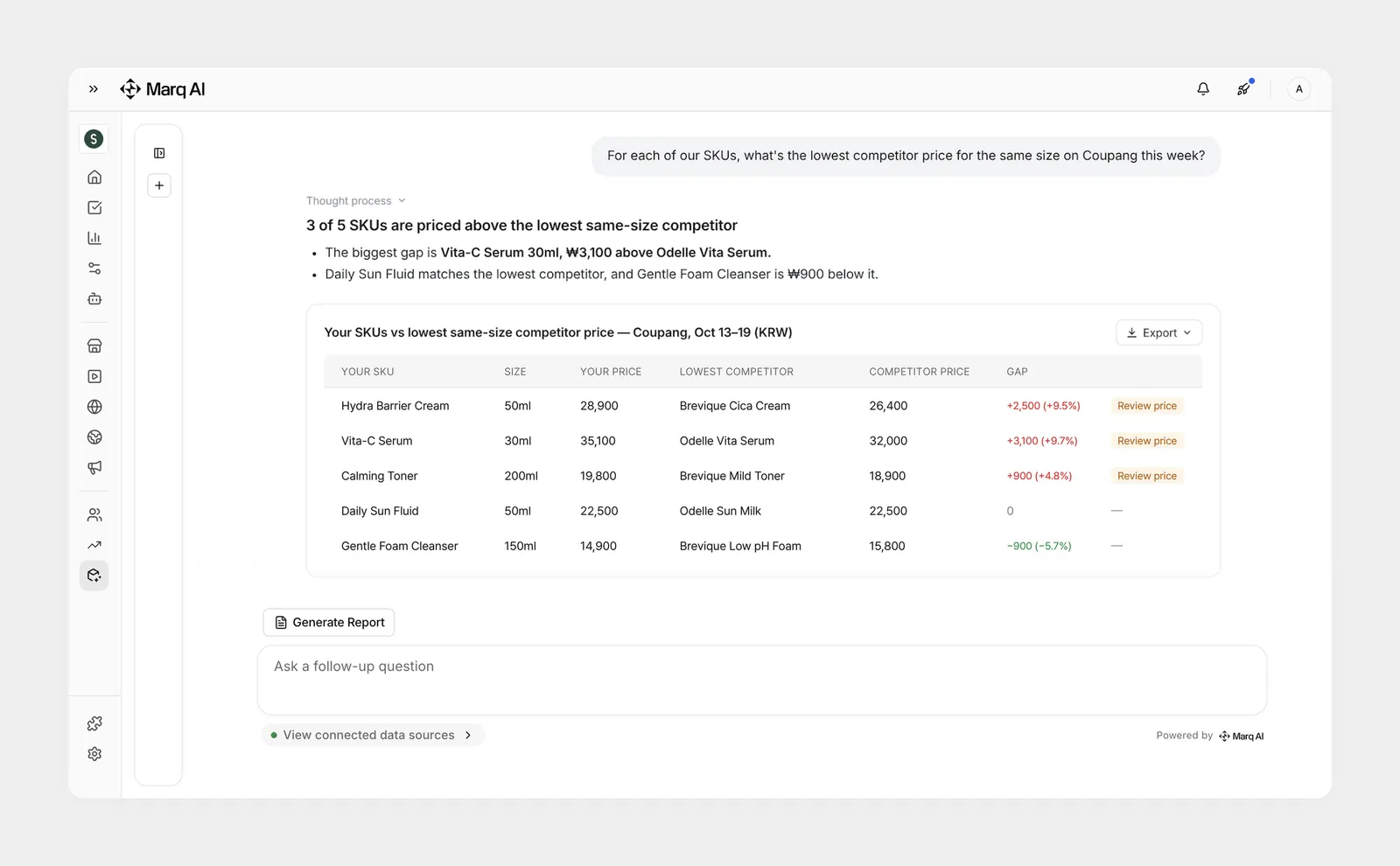
An average across a category hides the comparison that matters. Competitor Price Monitoring maps each competitor product to one of your own models, so you compare like with like. Competitor prices come from each competitor’s official store, on the same price basis as yours: the advertised price, the price after coupons, and shipping.
A channel manager can ask, “What’s the lowest competitor price for the same size as our product?” The BI Agent answers with a table or a chart. Ask which of your SKUs need a pricing review, and it lists them.
Catch competitor price changes, even overnight
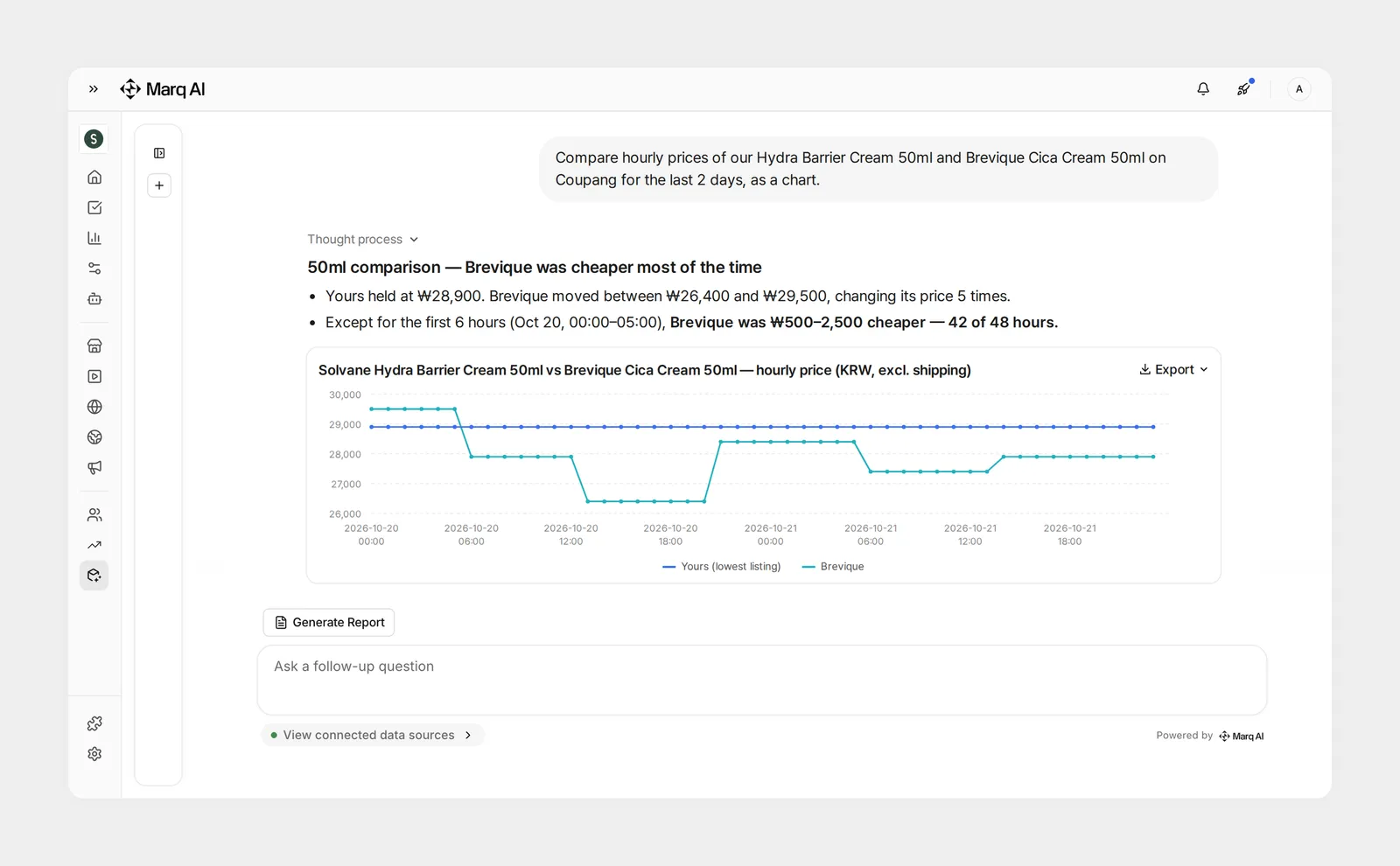
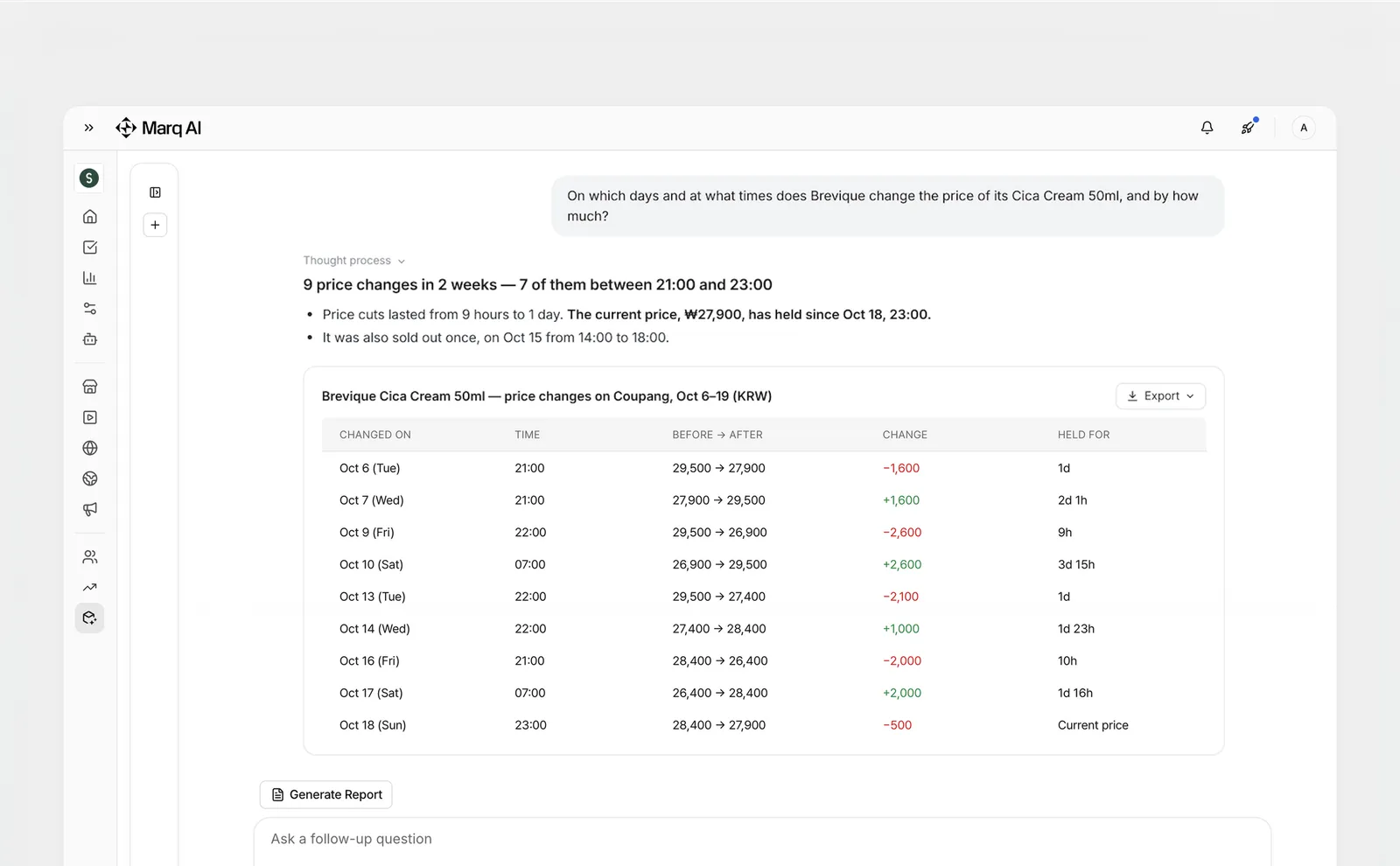
Competitor prices are collected every hour. A price that drops for a few hours with a coupon or a time sale still shows up, with when it changed, by how much, and how long it lasted. Sold-out periods are tracked too.
Your team can ask, “On which days and at what times does this competitor change its price, and by how much?” Or, “Which competitor products are cheaper than ours this week, and since when?”
Get a competitor price briefing every morning
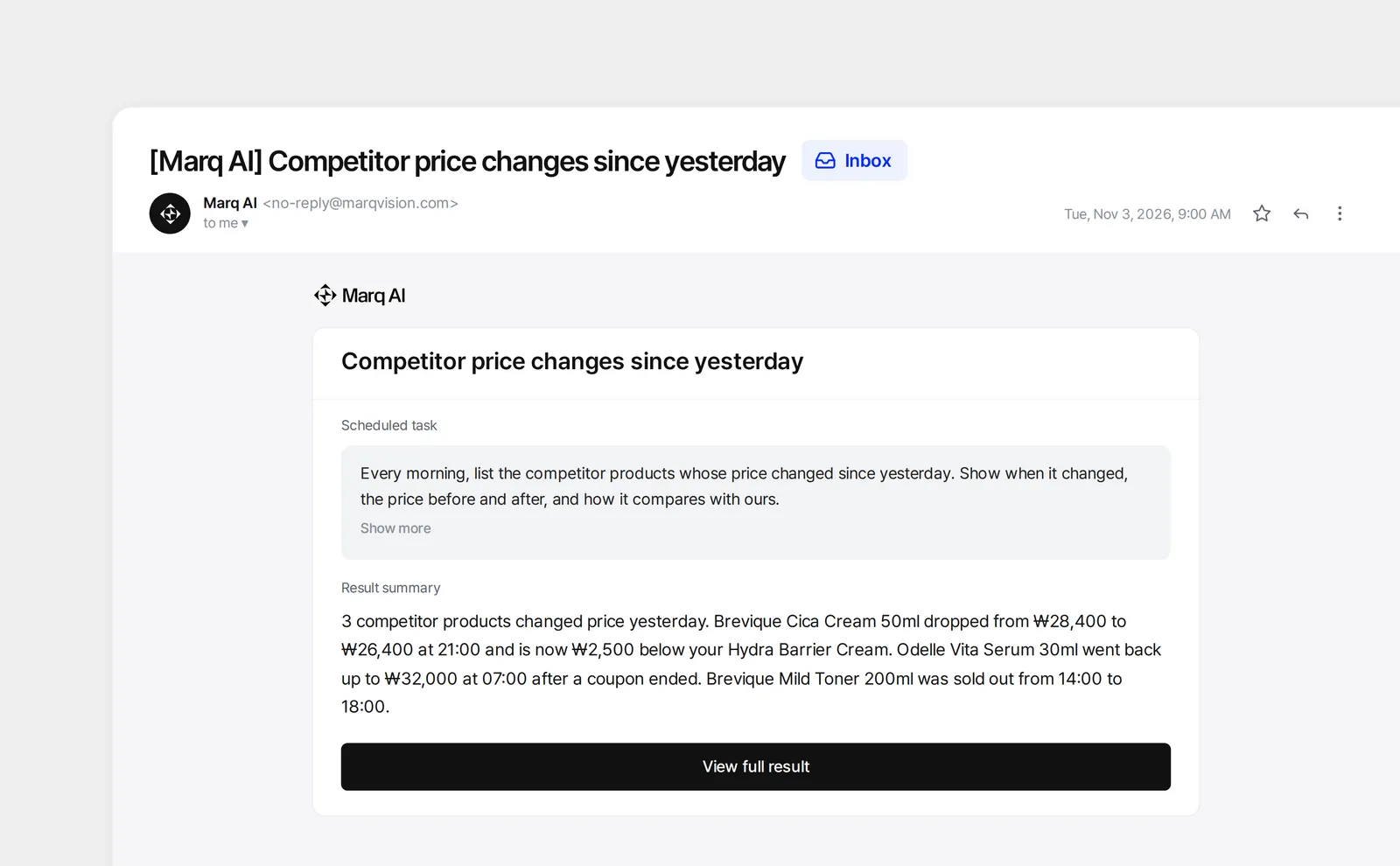
Some questions come up every day. Schedule them once, and the BI Agent runs them on the cycle you set and sends the answer by email. No login needed.
For example: “Every morning at 9, list the competitor products whose price changed since yesterday.”
Keep your prices and theirs in one place
Your own listings and RRP checks in Price Monitoring work as before. The competitor products you track appear under Price Monitoring › Competitor Products, and their prices are stored separately from your own data.
We built it because Price Monitoring customers asked for it. Many were already tracking competitors by hand, and wanted both sides of the comparison in one place.
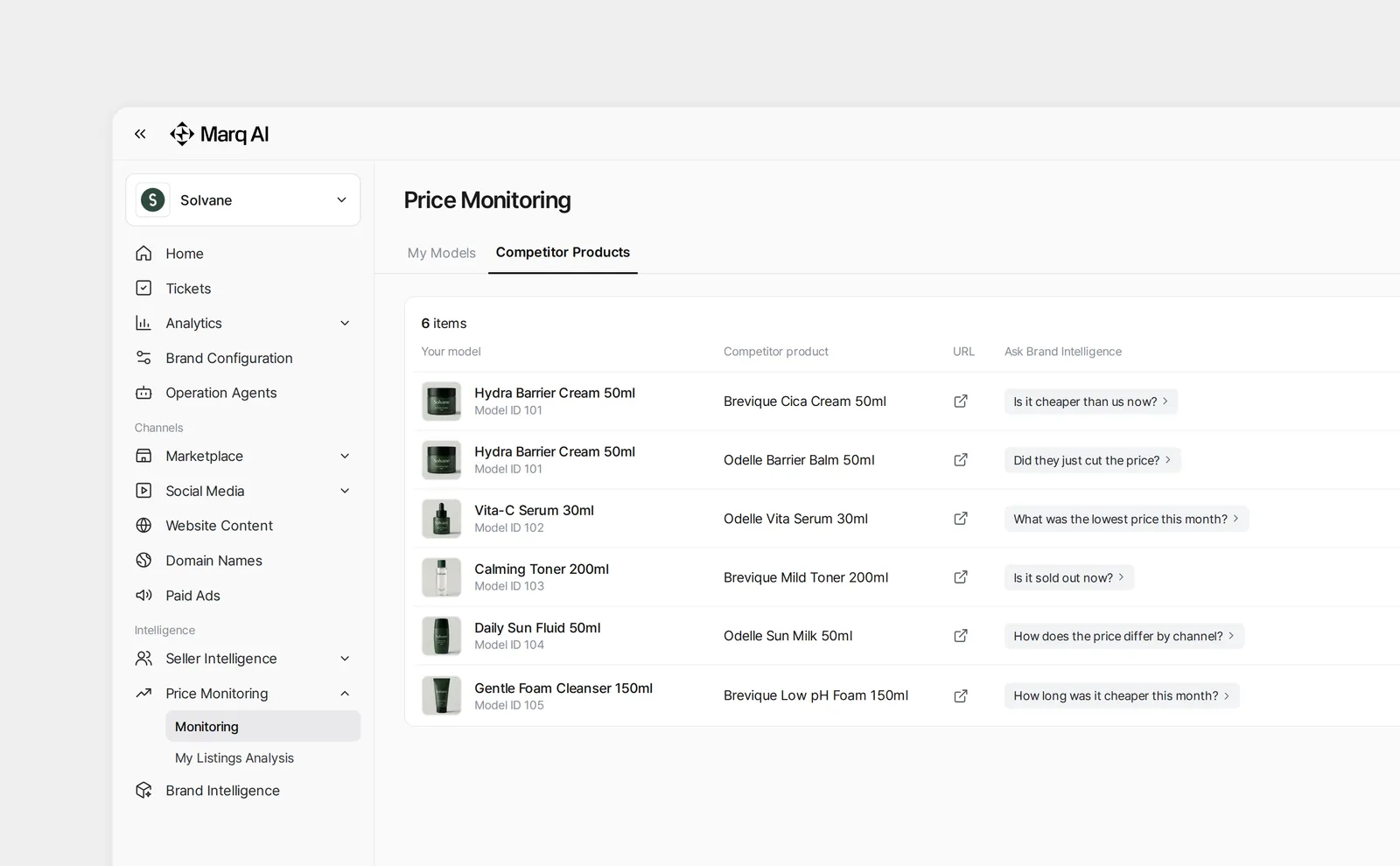
Competitor Price Monitoring is available now for MarqVision customers. To start, tell your MarqVision manager which competitor products to track, and our team will add them for you. The BI Agent can answer from the day they’re added. New to MarqVision? Request a demo.
Your price, next to theirs. Every hour.
Frequently asked questions
Where do competitor prices come from?
From each competitor’s official store, on any platform Price Monitoring already collects from, in Korea and overseas. Prices from other sellers aren’t included.
What does it track?
The advertised price, the price after coupons, shipping cost, and sold-out periods, every hour. It doesn’t cover promotion details, sales volume or reviews.
Can I compare a competitor’s prices across channels?
Yes, if the competitor has an official store on each channel and each one has been added.
How far back can I look?
From the day a competitor product is added. Prices are kept for 12 months.
Who sees the competitor data?
Only your team. It comes only from the competitor listings you choose. We don’t use other MarqVision customers’ data.
Can I add competitor products myself?
Not yet. For now, your MarqVision manager adds them for you.
Does it work outside Korea?
Yes. It works on any platform Price Monitoring collects from, including Amazon US, eBay and Walmart.